
How to Simplify Music Studio Management
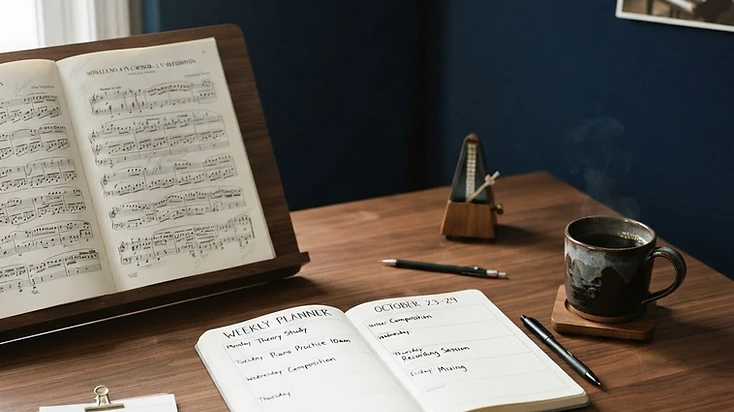
Teaching music is the part of running a studio most of us actually signed up for. The rest can be a different story.
Enrolment forms. Scheduling. Make-up lessons. Attendance. Payments. Parent messages. Practice tracking. Recitals. Student records. Teacher management.
Individually, none of these tasks seems particularly difficult. The problem is that they quickly add up.
For a private music teacher or studio owner, the administrative side of teaching can become a second job alongside the actual teaching.
That is where music studio management software can make a real difference.
What does music studio management actually involve?
A music studio is more than a timetable of lessons.
Even a relatively small studio might need to manage:
- student information and enrolments
- recurring and individual lessons
- group classes
- teacher availability
- attendance
- make-up lessons
- payments and billing
- parent communication
- practice assignments
- assessments and progress
- recitals and events
- instrument loans
- newsletters and studio communication
- payroll
- reporting and studio analytics
As a studio grows, keeping all of this in separate spreadsheets, calendars, email threads, payment platforms, and notebooks becomes increasingly difficult.
The challenge isn't necessarily having too much information. It is having information in too many places.
What should good studio management software actually do?
The best system should reduce the amount of administrative work sitting between you and your teaching.
For example, instead of keeping one system for your calendar, another for payments, another for student information, and another for communication, you can bring those workflows together.
For a music teacher, that might mean being able to:
Manage students
Keep student information, lesson history, attendance, assessments, and other important records organised in one place.
Manage enrolments
Use custom enrolment forms, manage incoming enrolments, and keep track of your waitlist rather than managing every enquiry manually.
Manage your teaching schedule
Keep private lessons, group classes, events, and make-up lessons organised alongside your broader studio calendar.
Manage payments
Keep billing and payment information connected to your studio administration rather than chasing individual payments across different systems.
Communicate with families
Keep messages, newsletters, and parent communication connected to the studio rather than relying entirely on scattered emails.
Support student practice
Practice assignments and AI feedback can extend the learning experience beyond the lesson itself.
Manage your studio team
For studios with multiple teachers, teacher management and payroll can help keep the operational side organised as the studio grows.
The goal isn't to automate the teaching
This is an important distinction.
Studio management software shouldn't replace the relationship between a teacher, student, and family. It should make the administration surrounding that relationship easier.
You still decide what a student learns. You still teach the lesson. You still communicate with families. You still make the musical decisions.
The software simply takes some of the repetitive organisational work off your plate.
One system for the studio behind the lessons
This is the thinking behind Stormusi Studio.
Stormusi Studio was designed specifically around the many different jobs that sit behind private music teaching.
It brings together student management, enrolments, scheduling, group classes, waitlists, attendance, make-up lessons, billing, assessments, practice assignments, communication, events and recitals, teacher management, payroll, and more.
There are also dedicated teacher, parent, and student portals, so the studio isn't relying entirely on the teacher to act as the middle person for every interaction.
That matters because studio management isn't just about keeping the teacher organised. It is also about creating a smoother experience for the people around the studio.
When should you consider changing your current system?
You don't necessarily need new software just because you run a music studio.
However, there are a few signs that your current system may be creating unnecessary work.
You might be ready for a change if:
- you are constantly switching between different apps
- you keep student information in multiple places
- scheduling changes involve long email chains
- you regularly have to chase payments
- you spend too much time managing make-up lessons
- you are relying heavily on spreadsheets
- you are manually reminding families about everything
- your studio has grown beyond what your current system was designed for
- you are adding teachers and finding administration increasingly difficult
- you want families and students to have their own access to studio information
The point isn't to add another piece of software to your workload. It is to remove some of the workload you already have.
More time for the part of the job that matters
Running a music studio will always involve administration. There will always be enrolments to process, lessons to schedule, payments to reconcile, and families to communicate with.
The question is how much of that work needs to be done manually.
For music teachers, the best studio-management system should stay in the background whilst you get on with the reason you started teaching in the first place: teaching music.
If you're looking for a system to bring more of your studio administration together, take a look at Stormusi Studio.